Search this site
121 results found with an empty search
- Ready, Set, Inferno: Get Your Automatic Pool Cleaner Connected & Ready to Go
Before your Inferno Automatic Pool Cleaner can tackle its first cleaning cycle, a few important components need to be properly installed and connected. In this tutorial, we'll walk you through installing the side brushes, connecting the floating cables and power box, and adding the optional microfiber pad when you need to capture finer debris. Key Takeaways: Install both side brushes securely before using the Inferno, taking care not to over tighten the supplied screws. Follow the proper cable connection sequence between the power box, transformer, and blue Pool Robot connection. Use the microfiber pad when you want to capture finer debris, but leave it out when cleaning larger debris such as leaves and twigs. Step-by-Step Process: INSTALL THE SIDE BRUSHES Align the holes in each side brush with the mounting pegs on the pool robot. Secure each brush using the supplied screws and a screwdriver. Tighten the screws until secure, being careful not to overtighten them. CONNECT THE POWER BOX & FLOATING CABLE Unscrew the cap located next to the switch on the power box. Insert the end of the floating cable into the socket on the power box. Insert the end of the floating cable from the transformer into the black power socket. Slide the cap to connect the plug of the floating swivel union. Hand-tighten the black nut on the floating rotary coupling. Repeat the connection process on the blue side marked Pool Robot using the cable connected to the robot. ADD THE MICROFIBER PAD FOR FINER DEBRIS Open the top lid of the Inferno. Use the tabs to pull the debris basket out of the cleaner. Open the basket and position the microfiber pad along the bottom. Close the basket and return it to the unit. Close the top lid. If your pool contains larger debris such as leaves or twigs, do not install the microfiber pad. Your Inferno Automatic Pool Cleaner is now properly connected and ready for its first cleaning cycle. Resources & Explanations: Side Brushes — Attach to the robot using the mounting pegs and supplied screws as part of the initial setup. Floating Cable & Power Connections — Connect the power box, transformer, and Pool Robot side of the system so the Inferno is ready to operate. Floating Swivel Union & Rotary Coupling — Secure the cable connection using the cap and hand-tightened black nut. Microfiber Pad — Sits inside the debris basket to capture finer material and should be removed when the cleaner needs to collect larger debris like leaves and twigs. FAQs: Q1: How do I install the side brushes on the Inferno? A: Align the holes in each brush with the mounting pegs on the robot, then secure the brushes using the supplied screws and a screwdriver. Be careful not to overtighten the screws. Q2: Where does the transformer cable connect? A: The floating cable from the transformer connects to the black power socket. Follow the connection process by securing the floating swivel union and hand-tightening the black nut on the floating rotary coupling. Q3: Where does the cable from the pool robot connect? A: Repeat the connection process on the blue side marked Pool Robot using the cable connected to the robot. Q4: What is the microfiber pad used for? A: The microfiber pad is placed at the bottom of the debris basket when you want the Inferno to trap finer debris during cleaning. Q5: Should I use the microfiber pad when there are leaves in my pool? A: No. If you are cleaning larger debris such as leaves and twigs, leave the microfiber pad out of the basket. A proper setup gets your Inferno Automatic Pool Cleaner ready to take on its first cleaning cycle. At The Great Escape, we’re here to help you understand your pool equipment from initial setup through everyday maintenance, so you can get the most from your investment. If you have questions about setting up your Inferno Automatic Pool Cleaner, contact your local Great Escape team. We’re always happy to help!
- Drop, Swirl, Compare: Master Your Liquid Pool Water Test Kit
Regular water testing helps you stay ahead of chemistry problems and keep your pool clean, comfortable, and properly balanced throughout the season. A liquid test kit provides a hands-on way to measure several important aspects of your pool water. In this tutorial, The Great Escape walks you through three separate tests—chlorine or bromine, total alkalinity, and pH—and shows you how to properly fill, mix, time, and read each sample. Key Takeaways: Rinse your test cells and caps with pool water before testing, and hold reagent bottles straight up and down for consistent drop sizes. Chlorine or bromine, total alkalinity, and pH each require a different testing procedure, so pay close attention to the correct fill line, reagent, and timing for each test. Proper storage matters: keep your liquid test kit closed and protected from direct sunlight and excessive heat when it isn’t being used. Step-by-Step Process: CHLORINE OR BROMINE TEST Rinse the test cell and cap thoroughly with pool water. Fill the small test cell with pool water to the upper fill line. Add 5 drops of OTO Chlorine Indicator using the yellow-cap bottle. Secure the cap and quickly invert the test cell a few times to mix. After approximately 10 seconds, compare the sample color with the chlorine color standards to determine your free chlorine reading. Set the sample aside for 2 minutes. Compare the color again to determine your total chlorine or total bromine level. TOTAL ALKALINITY TEST Fill the larger test cell halfway to the lower fill line. Add 1 drop of Chlorine Neutralizer Number Four using the green-cap bottle, then swirl to mix. Add 2 drops of Total Alkalinity Indicator Number Five using the blue-cap bottle and swirl again. The sample should turn blue. Add Total Alkalinity Acid Demand Number Three from the white-cap bottle one drop at a time. Swirl the sample after every drop and keep count as you go. Continue until the sample changes from blue to yellow or clear—typically around 10–15 drops. Multiply the total number of drops by 10 to determine your total alkalinity reading. pH TEST Fill the larger test cell with pool water to the upper fill line. Add 1 drop of Chlorine Neutralizer Number Four for every 2 parts per million of chlorine present in the water. Add 5 drops of Phenol Red Number Two using the red-cap bottle. Invert the test cell several times to thoroughly mix the solution. Allow the sample to sit for 2 minutes. Compare the sample with the pH color standards on your test kit to determine your reading. Resources & Explanations: Liquid Test Cells & Color Standards — The different fill lines establish the proper sample amount, while the color standards provide the reference for reading chlorine, bromine, and pH results. OTO Chlorine Indicator — The yellow-cap reagent is used to develop the sample color needed for the chlorine or bromine test. Total Alkalinity Reagents — Chlorine Neutralizer Number Four, Total Alkalinity Indicator Number Five, and Total Alkalinity Acid Demand Number Three work together to produce the color change used to calculate total alkalinity. Phenol Red Number Two — The red-cap reagent develops the color used to compare and determine your pool's pH reading. FAQs: Q1: Why should I hold the reagent bottles straight up and down? A: Holding each bottle vertically helps produce a consistent drop size, which is important when a test depends on a specific number of reagent drops. Q2: How do I determine my total alkalinity reading? A: Add the Total Alkalinity Acid Demand reagent one drop at a time, swirling and counting each drop until the sample changes from blue to yellow or clear. Multiply the number of drops used by 10 to determine the total alkalinity reading. Q3: Why are there two different times for reading the chlorine or bromine test? A: The first comparison is made after about 10 seconds to determine free chlorine. The sample is then left for 2 minutes before comparing it again to determine total chlorine or total bromine. Q4: How much Chlorine Neutralizer should I use when testing pH? A: Add 1 drop of Chlorine Neutralizer Number Four for every 2 parts per million of chlorine present in the pool water. Q5: How should I care for my liquid test kit between uses? A: Keep the case closed when it isn’t being used and store the kit away from direct sunlight and excessive heat. Before each test, thoroughly rinse the test cells and caps with pool water. Understanding your water chemistry is an important part of confident pool care, and accurate testing gives you the information you need before making adjustments. At The Great Escape, we’re here to help make pool maintenance easier to understand so you can spend less time guessing and more time enjoying your pool. If you have questions about liquid testing or your pool water chemistry, contact your local Great Escape team. We’re always happy to help!
- How to Run a Cleaning Cycle with Your Sprinter Automatic Pool Cleaner
Let your Sprinter Automatic Pool Cleaner do the hard work for you! With two cleaning modes and a 90-minute cleaning cycle, the Sprinter can tackle the pool floor or take on both the floor and walls. In this tutorial, The Great Escape walks you through selecting a cleaning mode, properly placing the cleaner in your pool, stopping a cycle when needed, and safely retrieving the robot when the job is done. Key Takeaways: The Sprinter offers a Floor Only Cleaning Mode and a Full Automatic Floor and Wall Cleaning Mode. Releasing trapped air before guiding the robot to the bottom helps prepare the cleaner for its cleaning cycle. After the 90-minute cycle, the Sprinter stops near the pool wall so it can be retrieved using the included hook and a standard telescopic pool pole. Step-by-Step Process: Before beginning, make sure your Sprinter Automatic Pool Cleaner is fully charged. For Floor Only Cleaning Mode, press and release the blue rubber button once. After approximately three seconds, one beep will confirm your selection. For Full Automatic Floor and Wall Cleaning Mode, press and release the blue button twice. After approximately three seconds, three beeps will confirm your selection. Once a cleaning mode is selected, the blue LED will blink for approximately 20 seconds. During this time, place the Sprinter into the pool and gently rock it from side to side and front to back to release trapped air. Once the air has been removed, guide the robot to the bottom of the pool and allow the cleaning cycle to begin. If you need to stop the cycle early, press and hold the blue button for three seconds to power off the robot. After the 90-minute cleaning cycle is complete, the Sprinter will stop near the pool wall for retrieval. Attach the included retrieval hook to a standard telescopic pool pole and hook it onto the robot’s handle. Pull the cleaner toward you, then use the handle to slowly lift it from the pool. Hold the robot just above the water for a few seconds to allow excess water to drain. Your Sprinter is now ready to be cleaned and stored until its next use. Resources & Explanations: Sprinter Automatic Pool Cleaner — Provides automated pool cleaning with dedicated floor-only and floor-and-wall cleaning modes. Blue Control Button & LED — Used to select a cleaning mode, confirm startup, and manually power off the cleaner when needed. Retrieval Hook — Attaches to a standard telescopic pool pole so you can bring the Sprinter toward the pool edge after cleaning. Telescopic Pool Pole — Extends your reach so you can safely retrieve the cleaner without pulling it from the pool by other components. FAQs: Q1: How do I select Floor Only Cleaning Mode? A: Press and release the blue rubber button once. After about three seconds, one beep indicates that Floor Only Cleaning Mode has been selected. Q2: How do I make the Sprinter clean both the floor and walls? A: Press and release the blue button twice. After approximately three seconds, three beeps indicate Full Automatic Floor and Wall Cleaning Mode. Q3: Why should I rock the cleaner in the water before starting? A: Rocking the robot from side to side and front to back releases trapped air before you guide it to the bottom of the pool. Q4: How long does a Sprinter cleaning cycle run? A: A complete cleaning cycle runs for 90 minutes. When finished, the robot will stop near the pool wall for easier retrieval. Q5: Can I stop the Sprinter before the cleaning cycle is finished? A: Yes. Press and hold the blue button for three seconds to power off the cleaner. With the Sprinter Automatic Pool Cleaner handling the cleaning cycle, maintaining your pool can take a little less work. If you have questions about your Sprinter Automatic Pool Cleaner, contact your local Great Escape team. We’re always happy to help!
- How to Soften a Pool Hose Before Attaching It to a Fitting
A stiff pool hose can make attaching fittings more difficult than it needs to be. Softening the end of the hose first makes it more flexible, helping it slide over the fitting while creating a secure connection. In this quick tutorial, The Great Escape shows you how to soften, attach, and secure a pool hose using hot water, a hose clamp, and a screwdriver. Key Takeaways: Dipping the end of the hose into boiling hot water for a few seconds makes it softer and more pliable. Slide the hose clamp onto the hose before pushing the warmed hose onto the fitting. Position and tighten the clamp over the fitting to create a secure connection. Step-by-Step Process: Start with a pot of boiling hot water. Carefully dip the end of the hose into the hot water for a few seconds until it becomes soft and pliable. Slide a hose clamp onto the end of the hose before attaching the hose to the fitting. While the hose is still warm, push it completely onto the fitting until securely seated. Position the hose clamp over the fitting. Use a screwdriver to tighten the clamp until the connection is secure. Your hose is now properly installed and ready for use. Resources & Explanations: Hot Water — Temporarily softens the end of the hose, making it more flexible and easier to slide over the fitting. Hose Fitting — Provides the connection point the softened hose needs to fit securely over. Hose Clamp — Secures the hose around the fitting once it has been properly seated. Screwdriver — Used to tighten the hose clamp and finish securing the connection. FAQs: Q1: Why should I soften the hose before attaching it? A: Softening the end makes the hose more flexible, allowing it to slide over the fitting more easily and helping create a secure connection. Q2: When should I put the hose clamp onto the hose? A: Slide the clamp onto the hose before attaching the hose to the fitting. Once the hose is seated, move the clamp into position over the fitting. Q3: How long should I leave the hose in the hot water? A: Dip only the end of the hose into the boiling hot water for a few seconds—just long enough for it to become soft and pliable. A little preparation can make connecting your pool equipment much easier. If you have questions about hoses, fittings, or your pool setup, contact your local Great Escape team. We’re always happy to help!
- Open Your Pool with the WATER TRENDS Pool Opening Kit
Start the swimming season with balanced, properly treated pool water using the WATER TRENDS Pool Opening Kit. From testing and balancing to clarifying, stabilizing, shocking, and preventing algae, each step plays an important role in preparing your water for the season ahead. Key Takeaways: Always test your pool water first and balance total alkalinity and pH before adding your opening chemicals. Follow the WATER TRENDS Pool Opening Kit in the proper sequence so each product can do its job effectively. Allow the pool to circulate for 24 hours after adding Super Shock before completing the opening process with Algaecide. Step-by-Step Process: Test your pool water using a WATER TRENDS test strip to determine whether your water chemistry needs adjustment. Balance the pool’s total alkalinity and pH before beginning the opening treatment. Slowly pour the WATER TRENDS All Natural 5-in-1 Clarifier into the pool while walking around the entire perimeter. Add the Chlorine Stabilizer by placing it inside a sock and hanging it from your pool ladder. Make sure the sock does not come into contact with the pool liner. With the pool water circulating, broadcast the Super Shock powder across the surface of the water. Allow the pool water to circulate for 24 hours. Slowly pour the Algaecide into the pool while walking around the perimeter. Your WATER TRENDS Pool Opening Kit treatment is complete and your pool is ready for the swimming season. Resources & Explanations: WATER TRENDS Test Strips — Used before treatment to determine whether your pool’s water chemistry needs to be adjusted before beginning the opening process. All Natural 5-in-1 Clarifier — Added around the pool perimeter as part of the opening process to help prepare your water for the season. Chlorine Stabilizer & Super Shock — Stabilizer is suspended from the pool ladder, while Super Shock is broadcast across circulating water to help eliminate contaminants. Algaecide — Added after 24 hours of circulation as the final step to help prevent algae growth and keep the water looking its best. FAQs: Q1: Should I test my pool water before using the WATER TRENDS Pool Opening Kit? A: Yes. Test the water first with a WATER TRENDS test strip so you can identify any chemistry adjustments needed before beginning the opening process. Q2: Why should I balance alkalinity and pH first? A: Properly balanced water allows the opening chemicals to work more effectively and helps provide a more comfortable swimming experience. Q3: How should I add Chlorine Stabilizer? A: Place the stabilizer into a sock and hang it from your pool ladder. Make sure the sock does not touch the pool liner. Q4: Should the pool be circulating when I add Super Shock? A: Yes. With the water circulating, broadcast the Super Shock powder across the surface of the pool. Q5: When should I add the Algaecide? A: Allow the pool to circulate for 24 hours after adding Super Shock. Then slowly pour the Algaecide around the pool perimeter to complete the opening treatment. A successful pool season starts with properly prepared water. WATER TRENDS and The Great Escape are here to give you the products, education, and support you need to confidently care for your pool from opening day through the end of the season. If you have questions about the WATER TRENDS Pool Opening Kit or your pool water chemistry, contact your local Great Escape team. We’re always happy to help!
- How to Install a Neu Terra LED Light in Your Pool
Looking to upgrade your pool’s ambiance with vibrant LED lighting? This easy-to-follow tutorial walks you through the installation of the Neu Terra LED Light, a stylish and functional return light that fits directly into your existing pool return fitting. Follow along to make sure you get a secure, long-lasting setup—and take your nighttime swim to the next level. Key Takeaways: The Neu Terra LED light is designed for simple installation into your existing return fitting—no special tools or plumbing required. The 5 Pin Quick Connect system makes electrical setup straightforward and safe. Plus, you can change light colors with a downloadable app. The lens should face away from the skimmer to create ideal water flow and circulation. Step-by-Step Process: Lower water below your return jet. Disassemble the return fitting. Remove the white nut and black o-ring on the light. Disconnect the lens and cable through the housing. Remove the interface plate. Insert rubber seals and thread the plate through the pool wall. Push the cable back through, align the lens, and tighten everything. Reconnect the Quick Disconnect cable and refill the pool. Resources and Explanations: Neu Terra LED Light Kit: Includes the pre-assembled light body, lens, Quick Connect, o-ring seal, and retaining ring. 5 Pin Quick Connect System: A user-friendly connection that ensures safety and simplifies powering the light. App Control via QR Code: Allows you to change light colors and customize ambiance directly from your phone. FAQs: Q1: Can I install this without lowering my pool water level? A: No, for safe and accurate installation, it’s best to lower the water level below the return. Q2: Do I need any special tools to complete the setup? A: No special tools are needed—just hand-tightening and some patience. Q3: How do I know the lens is aligned correctly? A: Ensure the water flow slits face away from the skimmer to create the proper vortex. Q4: Will this work with all pool types? A: The Neu Terra light is designed for above-ground pools with standard return fittings. Q5: How do I change the color settings? A: Use the app accessible via QR code in your light’s instruction manual. The Great Escape is here to help you enjoy every aspect of your backyard investment. Questions? Stop by your local Great Escape—we’re always happy to help!
- How to Replace Hayward Return Gaskets: A Step-by-Step Guide
We'll show you how to replace Hayward return gaskets to ensure a secure and watertight seal. Follow along with these easy steps to keep your pool functioning at its best. Key Takeaways: Replacing the return gaskets prevents leaks and maintains a tight seal. The process requires lowering the water level and safely removing the old gaskets. Proper installation of new gaskets is crucial for a leak-free return assembly. Step-by-Step Process: Begin by lowering the water below the return jet. Turn the lock ring and eyeball counterclockwise to remove the eyeball assembly. Remove the inner fitting. If needed, use the seat removal tool to loosen the inner fitting and remove it by hand. Remove the old return assembly and gaskets. Secure the return fitting inside the pool, then use channel locks to loosen the outside lock nut and remove the old gaskets. Install the new gaskets. Place the first rubber gasket over the threads inside the pool, followed by the second rubber gasket and cork gasket on the outside. Tighten the lock nut securely. Reassemble the eyeball. Install the new inner fitting, position the eyeball, and tighten the lock ring. Resources and Explanations: Seat Removal Tool: A tool designed to loosen tight fittings when hand removal is not possible. Rubber and Cork Gaskets: Critical components for ensuring a watertight seal between the return and pool wall. FAQs: Q1: Why do I need to lower the water level to replace the return gaskets? A: Lowering the water level ensures no water leaks out during the replacement process. Q2: What should I do if I can’t remove the inner fitting by hand? A: Use the seat removal tool to safely and easily loosen the fitting. Q3: How tight should the lock nut be after replacing the gaskets? A: Firmly tighten the lock nut to ensure a secure seal but avoid over tightening to prevent damage. Replacing your Hayward return gaskets will ensure a snug, leak-free fit for your pool. For more tips or support, The Great Escape team is here to help with all your pool maintenance needs. Reach out to us for expert advice anytime!
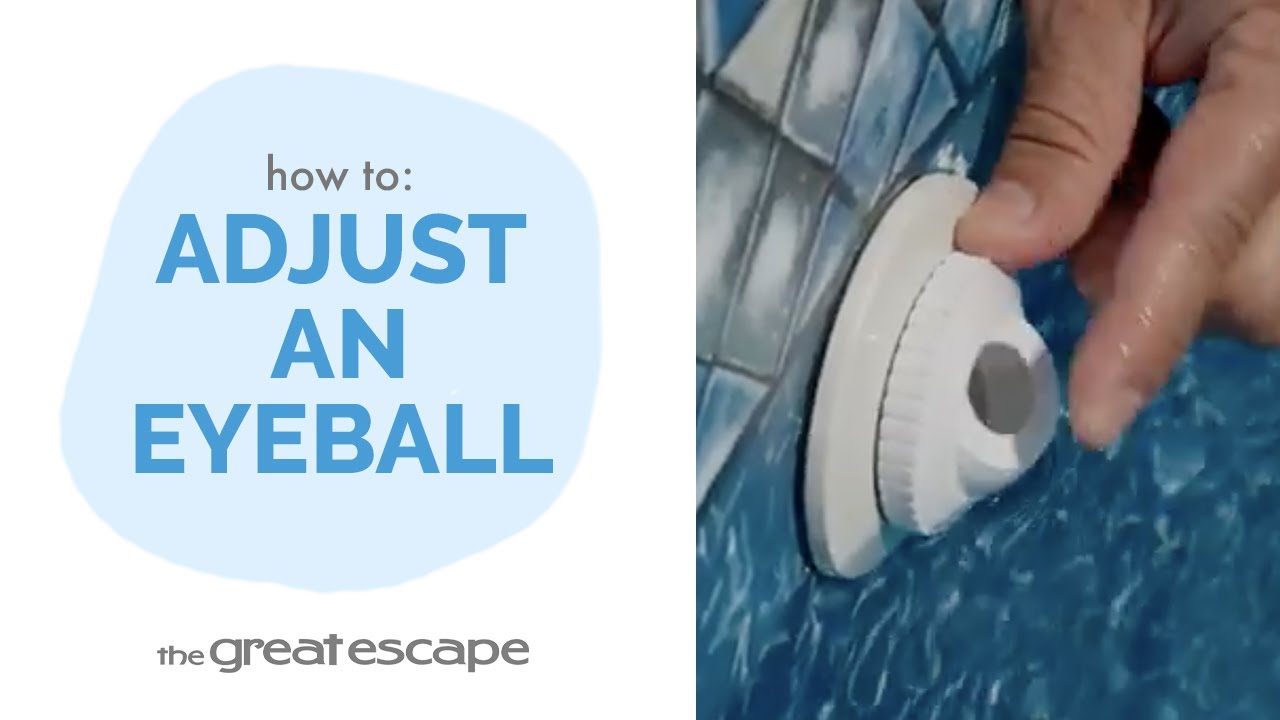
- How to Adjust a Hayward Eyeball: A Quick and Easy Guide
We'll show you how to adjust a Hayward eyeball to achieve the ideal water flow in your pool. Adjusting the eyeball is an important step to ensure proper circulation and water direction. Key Takeaways: Adjusting the Hayward eyeball allows you to control water flow and direction in your pool. The process is quick and straightforward, involving only the lock ring and eyeball. Proper adjustment ensures your pool’s water circulates effectively for better cleaning and comfort. Step-by-Step Process: Loosen the lock ring by turning the lock ring counterclockwise to loosen the eyeball. Adjust the eyeball by pushing the eyeball into the desired position. Once the eyeball is in place, turn the lock ring clockwise to secure it. Ensure the eyeball doesn’t move during this step. FAQs: Q1: Why should I adjust my Hayward eyeball? A: Adjusting the eyeball allows you to direct water flow, ensuring proper circulation and more efficient pool cleaning. Q2: How often should I check and adjust the eyeball? A: It’s a good idea to check and adjust the eyeball periodically, especially if you notice uneven water flow. Q3: Can I adjust the eyeball without any tools? A: Yes, the process only requires you to turn the lock ring by hand and reposition the eyeball. For more tips or assistance, contact your local Great Escape team—we’re always here to help keep your pool in perfect shape!
- How to Replace a Hayward Eyeball Assembly in 5 Easy Steps
In this quick tutorial, The Great Escape shows you how to replace a Hayward eyeball assembly. Follow these simple steps to ensure your pool’s return flow is functioning properly and get your pool ready for the season. Key Takeaways: Replacing the eyeball assembly ensures optimal return flow in your pool. The process is straightforward but may require a removal tool for tight fittings. Correctly positioning the eyeball is key for directing water flow. Step-by-Step Process: Turn the lock ring and eyeball counterclockwise to detach to remove the old eyeball assembly. Remove the inner eyeball fitting. If it’s tight, use the seat removal tool by inserting the key into the grooves and turning counterclockwise. Install the new inner fitting by turning the new fitting clockwise until fully tightened. Insert the new eyeball by loosely attach the lock ring over the eyeball by turning it clockwise. Position the eyeball by pushing the eyeball into the desired position and retighten the lock ring. FAQs: Q1: What should I do if the inner eyeball fitting is too tight to remove by hand? A: Use the seat removal tool to easily loosen the fitting without causing damage. Q2: How can I ensure the eyeball stays in the correct position? A: Push the eyeball into place before fully tightening the lock ring and check the position after tightening. Q3: Can I replace the eyeball assembly without any tools? A: Yes, but if the inner fitting is tight, you may need the seat removal tool to avoid damage. For more tips or assistance, The Great Escape is always here to help keep your pool running smoothly. Reach out to our local team for any further guidance!
- How to Replace a Hayward Full Return Assembly: Step-by-Step Guide
This guide walks you through the process of replacing a Hayward full return assembly. Whether you're dealing with wear and tear or upgrading your pool components, this guide will help you get the job done with ease. Key Takeaways: The return assembly replacement process requires lowering your water level and safely removing the old components. Using the proper tools, like the seat removal tool, ensures you can remove tight fittings without damage. Installing the new return assembly requires attention to gasket placement to avoid leaks and ensure a secure fit. Step-by-Step Process: Start by lowering the water below the return jet to avoid water spillage during replacement. Turn the lockring and eyeball counterclockwise to detach them. Remove the eyeball assembly. If the fitting is tight, use the seat removal tool. Insert the key into the grooves and turn counterclockwise. Secure the return fitting from inside the pool, then turn the outside lock nut counterclockwise to loosen. Remove the old return and gaskets carefully. Place the first, new rubber gasket over the threads and push the return fitting through the cutout inside the pool. Install the second rubber gasket followed by the cork gasket on the outside of the pool and tighten the lock nut. Attach the new inner fitting by turning clockwise. Insert the eyeball and loosely secure the lock ring, adjusting the eyeball’s position before fully tightening. Resources and Explanations: Seat Removal Tool: A specialized tool used to loosen tightly secured fittings in the return assembly. Lock Nut: A component that holds the return assembly securely against the pool wall and liner. FAQs: Q1: Why do I need to lower the water level below the return jet? A: Lowering the water level prevents water from spilling out and allows you to work comfortably on the return assembly. Q2: What if I can't remove the inner fitting by hand? A: Use the seat removal tool to safely remove the fitting without damaging it. Q3: Why is the gasket placement important? A: Proper gasket placement prevents leaks and ensures a secure, watertight seal between the return and the pool wall. Q4: Can I use standard tools to loosen the lock nut? A: Channel locks or a wrench can be used to loosen the lock nut but be careful not to over-tighten or damage the components. Q5: What should I do if the eyeball changes position while tightening the lock ring? A: Recheck the eyeball position after tightening and adjust if necessary, ensuring the flow is directed as needed. With your Hayward return assembly now replaced, your pool is ready for action! The Great Escape is here to support your pool maintenance journey. If you have any questions or need further assistance, don't hesitate to contact your local team—we’re happy to help!
- How to Use pH Down for Perfectly Balanced Water
Learn the essential steps for maintaining ideal pH levels in your pool with pH Down. This tutorial guides you through the process of correcting high pH and alkalinity levels, ensuring clear, safe, and comfortable water for swimming. Key Takeaways: Learn why maintaining the correct pH level is crucial for both water clarity and swimmer safety. Emphasize the need for regular water testing to monitor pH and alkalinity. Step-by-step guidance on how to effectively use pH Down to adjust your pool's pH level. Step-by-Step Process: Use test strips weekly to check chemical balance, focusing on pH and alkalinity. If needed, use Alkalinity Up before applying pH Down. Follow package instructions for dosage, ensuring the filter pump is running. Broadcast across the water's surface or pre-dissolve in warm water for faster results. Allow at least 20 minutes of circulation before swimming. FAQs: Q1: What should I do if the pH level remains high after treatment? A: Reapply pH Down following the recommended dosage and consult with the Great Escape team for additional advice. Q2: Can pH Down affect other pool chemicals? A: Yes, pH levels can impact the effectiveness of various pool chemicals. Q3: How often should I check my pool's pH level? A: Weekly testing is recommended for optimal pool health and safety. Q4: Is pH Down safe for all types of pools? A: Yes, pH Down is designed to be safe and effective for various pool types. Q5: What precautions should I take when handling pH Down? A: Follow safety instructions on the package, and avoid direct contact with skin and eyes. Achieve and maintain the perfect pH balance in your pool with pH Down. For further information and expert guidance, contact your local Great Escape team.
- pH Up: The Essential Step for Comfortable, Clear Pool Water
Introducing pH Up by The Great Escape, your solution to maintaining the perfect swim environment. This simple yet crucial product raises pH levels, ensuring your water is not just comfortable to swim in but also odor-free and optimal for chlorine effectiveness. Key Takeaways: pH Up improves swimmer comfort and chlorine performance. Regular pool water testing is vital to keep pH and alkalinity levels in check. Balancing alkalinity first sets the stage for effective pH adjustment. Step-by-Step Process: Test your water weekly with test strips, focusing on alkalinity and pH. Balance your water with Alkalinity Up if needed before adjusting pH. With the filter pump active, apply the recommended dosage of pH Up per the package instructions. Disperse pH Up evenly or pre-dissolve in warm water to prevent settling and enhance the pH adjustment process. Resources and Explanations: pH Up: A product designed to safely raise the pH level in your pool water. Test Strips: Easy-to-use tools to regularly monitor your pool's chemical balance. FAQs: Q1: How do I know if I need to use pH Up? A: If your water tests reveal a pH level below 6.8, pH Up is necessary. Q2: Can I swim immediately after adding pH Up? A: It's best to wait until the chemical has fully dispersed and the pH is retested. Q3: Will pH Up affect other chemical levels in my pool? A: It primarily affects pH but can slightly alter total alkalinity, so both should be tested and adjusted as necessary. Q4: How often should I apply pH Up? A: Only when tests indicate that pH levels have dropped below the ideal range. Q5: What should I do if my pool's pH level gets too high? A: Consult with The Great Escape team for products and methods to safely lower it. With pH Up, you're just a few steps away from perfect pool conditions. The Great Escape is here to support you in achieving and maintaining that safe, sparkling water all season long. For any advice or assistance with pH balance or other pool care concerns, our knowledgeable team is ready to help.