Search this site
121 results found with an empty search
- Power Up & Dive In: Charging Your Sprinter Pool Cleaner
Before your Sprinter Automatic Pool Cleaner can begin its first cleaning cycle, the battery needs to be fully charged and the charging connection properly secured. In this tutorial, The Great Escape shows you how to connect the charger, read the indicator light, and protect the charging port once the battery is ready. Key Takeaways: The charging port is located on top of the Sprinter near the handle and is protected by a screw-on cap. Proper alignment matters when connecting the charger—the notch and slot should line up before insertion. The charger light gives you a clear status update: red means the battery is charging, while green means the charge is complete. Step-by-Step Process: Plug the charging adapter into a power source. Locate the charging port on top of the Sprinter near the handle. Unscrew the protective cap to expose the charging connection. Align the notch and slot on the charger and charging port. Plug the charger into the robot. Check the indicator light on the charger. A red light confirms that the battery is charging. Allow the battery to charge completely. When the indicator light changes from red to green, disconnect the charger. Securely tighten the protective cap over the charging port. Your Sprinter Automatic Pool Cleaner is now fully charged and ready for its first cleaning cycle. Resources & Explanations: Charging Adapter — Supplies power to the Sprinter battery before use. Charging Port — Located near the handle and covered by a protective cap when not in use. Alignment Notch & Slot — Help ensure the charger is connected in the proper position. Indicator Light — Provides a simple visual charging status, changing from red during charging to green when complete. FAQs: Q1: How do I know the Sprinter is actually charging? A: Once the charger is properly connected, the indicator light will illuminate red. That confirms the battery is charging. Q2: How do I know when the battery is fully charged? A: Wait until the charger’s indicator light changes from red to green. At that point, the charger can be disconnected. Q3: Why should I replace the protective cap after charging? A: The cap helps keep the charging port clean and protected when the charger is disconnected. Tighten it securely before using or storing the cleaner. A properly charged battery gets your Sprinter ready to complete its first cleaning cycle without interruption. If you have questions about charging or operating your Sprinter Automatic Pool Cleaner, contact your local Great Escape team. We’re always happy to help!
- Clean, Clear & Store: Keep Your Inferno Pool Cleaner Ready for the Season
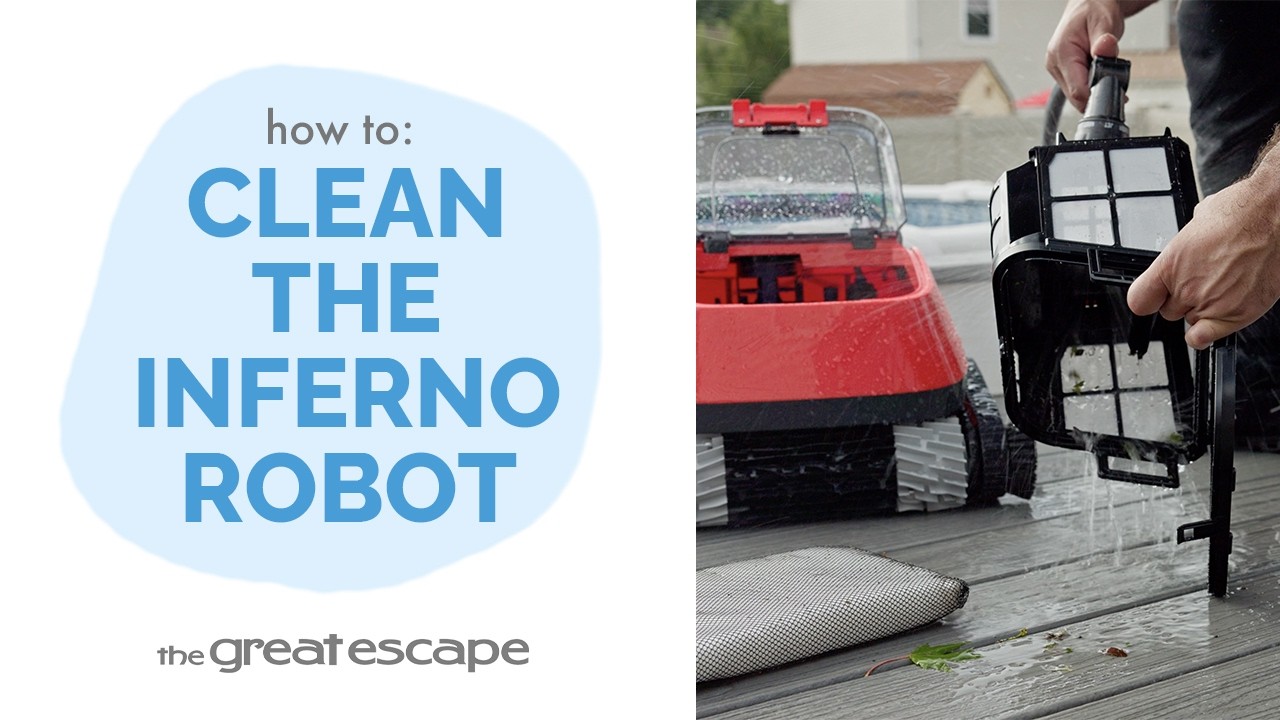
Your Inferno Automatic Pool Cleaner needs attention in a few different areas to keep it operating at peak performance. In this tutorial, The Great Escape walks you through cleaning the basket, checking the impeller, and properly storing the cleaner when it will be out of use for an extended period. Key Takeaways: The filter basket should be removed, emptied, and thoroughly rinsed. Proper basket alignment matters during reassembly. Protect the power supply with its cap. The Inferno cleaner should be stored indoors in a clean, dry location. Step-by-Step Process: CLEAN THE FILTER BASKET Access the filter basket from the top of the Inferno. Place your hands on the handle and push forward with your thumbs to unlock the basket. Lift the basket out using the handles on each side. Pull the tab at the front of the basket to open the lid. Empty any leaves, dirt, or other debris collected inside. Rinse the basket thoroughly with a garden hose to remove anything that remains. REINSTALL THE BASKET CORRECTLY Place the clean filter basket back into the pool robot. Check that the basket is properly aligned before trying to close the cleaner. Press the handles down until the basket locks securely into position. If the cleaner’s cover does not close properly, recheck the basket alignment before continuing. CHECK THE IMPELLER Use a flathead screwdriver to remove the protective grill covering the impeller. Inspect the impeller area for leaves, hair, or other trapped debris. Remove any obstructions you find. Reinstall the protective grill once the area is clear. PREPARE FOR EXTENDED STORAGE If the Inferno will not be used for an extended period, screw the protective cap back onto the power supply. Store the pool robot indoors in a clean, dry location until it is ready to be used again. Resources & Explanations: Filter Basket — Collects leaves, dirt, and debris during cleaning. Garden Hose — Rinses remaining debris from the basket after emptying. Flathead Screwdriver — Removes the protective grill for impeller access. Protective Power Supply Cap — Covers the connection during extended storage. FAQs: Q1: What should I check if the Inferno cover won’t close? A: Check the filter basket alignment. If the basket isn’t properly seated, the cover will not close correctly. Q2: Should I rinse the filter basket after emptying it? A: Yes. After removing the larger debris, rinse the basket thoroughly with a garden hose to clear out anything that remains. Q3: Why should I inspect the impeller? A: Leaves, hair, and other debris can become trapped inside the impeller area where they may not be visible from the filter basket. Q4: What tool do I need to access the impeller? A: Use a flathead screwdriver to remove the protective grill, then reinstall the grill after clearing any obstructions. Q5: How should I store the Inferno when I won’t be using it for a while? A: Replace the protective cap on the power supply and store the robot indoors in a clean, dry location. Taking a little extra care with reassembly and long-term storage helps keep your Inferno cleaner ready for the work ahead. At The Great Escape, we’re here to help you understand and care for your pool equipment so you can get more from it season after season. If you have questions about your Inferno Automatic Pool Cleaner, contact your local Great Escape team. We’re always happy to help!
- Rinse, Reset & Roll: Keep Your Sprinter Pool Cleaner Running Strong
Routine cleaning helps keep your Sprinter Automatic Pool Cleaner performing at its best throughout the swimming season. In this tutorial, The Great Escape shows you how to care for your Sprinter for optimal operation with every cleaning cycle. Key Takeaways: Sprinter maintenance includes caring for the filter bag, cleaner housing, and impeller. When reassembling the Sprinter, the filter bag should sit completely inside the housing without being pinched between the lid and body. When servicing the impeller, remove anything wrapped around the shaft and reinstall the nut lightly enough that the impeller retains a small amount of free movement. Step By Step Process: CLEAN THE FILTER BAG Place the Sprinter upside down on a flat surface. Turn the two red tabs at the front inward, following the arrows printed on the unit. Press the two red clips at the rear of the cleaner and lift the lid to access the filter bag. Pull the red ribbon marked “Pull” to remove the filter bag. Empty any leaves, dirt, or other debris from the bag. Use a garden hose to rinse the inside of the lid and the body of the robot. Turn the filter bag inside out and rinse it thoroughly with the garden hose. If a deeper cleaning is needed, the filter bag can also be hand washed or cleaned in a washing machine. Do not machine dry the filter bag. REINSTALL THE FILTER BAG & LID Turn the clean filter bag right side out and reinstall it onto the lid. Position the lid back onto the robot, making sure the entire filter bag is inside the housing. Check that the bag is not pinched between the lid and the cleaner body. Press the lid down until the rear clips snap securely into place. Turn the two red tabs to lock the lid. INSPECT THE IMPELLER Remove the screw at the top of the impeller cover and lift the cover away. Use the supplied multipurpose tool to remove the nut in the center of the impeller. Hold either the tool or the impeller steady while turning the other to loosen the nut. Slide the impeller off the shaft. Inspect the area for hair, string, or other debris wrapped around the impeller and remove any obstructions. Reinstall the impeller and lightly tighten the nut. Do not over tighten. When properly installed, the impeller should still have a small amount of free movement. Resources & Explanations: Filter Bag — Collects debris and can be rinsed, hand washed, or machine washed for a deeper clean. Garden Hose — Rinses debris from the filter bag, lid, and cleaner body. Multipurpose Tool — Used to remove the center nut when inspecting the impeller. Impeller — Should be checked for hair, string, or other wrapped debris. FAQs: Q1: Can the Sprinter filter bag go in the washing machine? A: Yes. If rinsing alone isn’t enough, the filter bag can be hand washed or cleaned in a washing machine for a deeper clean. The important exception is drying: do not machine dry the bag. Q2: What should I look for before locking the lid back onto the cleaner? A: Check that the filter bag is completely inside the housing. If part of the bag is caught between the lid and body, reposition it before snapping the rear clips and locking the front tabs. Q3: What kinds of debris can interfere with the impeller? A: Hair, string, and other debris may become wrapped around the impeller. Remove anything you find before reinstalling it. Q4: Why shouldn’t I over tighten the impeller nut? A: Over tightening may damage the impeller. After reinstallation, it should still have a small amount of free movement. Q5: Is cleaning the filter bag enough for complete Sprinter maintenance? A: The routine in this tutorial includes both filter-bag cleaning and impeller inspection. Cleaning removes the debris the robot has collected, while the impeller check gives you an opportunity to remove material that may have wrapped around the moving assembly. A little maintenance between cleaning cycles can help keep your Sprinter Automatic Pool Cleaner ready for the work you rely on it to do throughout the season. If you have questions about your Sprinter Automatic Pool Cleaner, contact your local Great Escape team. We’re always happy to help!
- Installing a Magnetic Pool Light in Minutes
A magnetic pool light is a simple way to add color and visibility to your pool, but the installation method depends on the type of pool wall you have. In this tutorial, The Great Escape shows you how to install the batteries, create a watertight seal, and properly mount the light on either a steel-wall or aluminum-wall pool. Key Takeaways: Install the batteries according to the markings inside the light, then align the arrows when reassembling it to create a secure, watertight seal. Steel-wall pools allow the built-in magnet to attach directly through the liner to the steel wall behind it. Aluminum-wall pools require the included mounting plate positioned on the outside of the pool wall. Step-by-Step Process: Turn the light counterclockwise to open the battery compartment. Insert the batteries according to the markings inside the light. Reassemble the light by turning it clockwise. As you tighten it, make sure the alignment arrows line up to create a secure, watertight seal. For a steel-wall pool, submerge the light and position it against the pool liner. The built-in magnet will attach to the steel wall behind the liner. For an aluminum-wall pool, place the included mounting plate on the outside of the pool wall where you want the light installed. Position the light on the inside of the pool at the same location as the mounting plate. Use the remote to adjust the light settings and colors. Your magnetic pool light is now installed and ready for use. Resources & Explanations: Magnetic Pool Light — Provides underwater lighting and uses a built-in magnet for installation on compatible pool walls. Alignment Arrows — Must line up when reassembling the light to help create a secure, watertight seal. Mounting Plate — Used with aluminum-wall pools because the light cannot attach directly to the wall in the same way it does with steel. Remote Control — Lets you change the light settings and colors once the light is installed. FAQs: Q1: How do I install the light on a steel-wall pool? A: Submerge the light and place it against the pool liner. The built-in magnet will attach the light to the steel wall behind the liner. Q2: What if my pool has aluminum walls? A: Use the included mounting plate. Position it on the outside of the pool wall, then place the light on the inside at the same location. Q3: Why do the alignment arrows matter? A: The arrows should line up when the light is tightened so the housing forms a secure, watertight seal. Once installed, your magnetic pool light is ready to add extra color and brightness to your pool. If you have questions about your magnetic pool light or other pool accessories, contact your local Great Escape team. We’re always happy to help!
- Clip, Slide, Scrub: Attach Your Ocean Blue Pool Brush in Seconds
Your Ocean Blue Pool Brush attaches quickly to a telescopic pole so you can get straight to routine pool cleaning. In this tutorial, The Great Escape shows you how to connect the brush securely and lock it into place for use. Key Takeaways: Open the clip at the end of the brush handle before inserting the pole. Slide the telescopic pole fully into the handle opening. Close the clip to lock the pole securely into position. Step-by-Step Process: Open the clip located at the end of the Ocean Blue Pool Brush handle. Slide the telescopic pole into the opening of the handle. Push the pole in until it is securely seated. Close the clip to lock the telescopic pole into position. Your Ocean Blue Pool Brush is now attached and ready for use. Resources & Explanations: Ocean Blue Pool Brush — The cleaning attachment being connected to the pole. Telescopic Pole — Extends your reach so you can guide the brush around the pool. Locking Clip — Secures the pole inside the brush handle once it has been inserted. FAQs: Q1: How do I attach the Ocean Blue Pool Brush to the pole? A: Open the clip, slide the telescopic pole into the handle opening, then close the clip to lock it in place. Q2: How do I know the brush is securely attached? A: The pole should be fully inserted into the handle and held firmly once the clip is closed. Q3. Do I need any tools to attach the brush? A: No. The brush connects to the telescopic pole using the built-in clip. Once the brush is securely attached, you’re ready to move on to pool cleaning. If you have questions about your Ocean Blue Pool Brush or other pool cleaning tools, contact your local Great Escape team. We’re always happy to help!
- Clip, Slide, Scoop: Attach Your Ocean Blue Pool Net in Seconds
Your Ocean Blue Pool Net attaches quickly to a telescopic pole so you can get straight to removing debris from the water. In this tutorial, The Great Escape shows you how to connect the net securely and lock it into place for use. Key Takeaways: Open the clip at the end of the net handle before inserting the pole. Slide the telescopic pole fully into the handle opening. Close the clip to lock the pole securely into position. Step-by-Step Process: Open the clip located at the end of the Ocean Blue Pool Net handle. Slide the telescopic pole into the opening of the handle. Push the pole in until it is securely seated. Close the clip to lock the telescopic pole into position. Your Ocean Blue Pool Net is now attached and ready for use. Resources & Explanations: Ocean Blue Pool Net — The debris-removal attachment being connected to the pole. Telescopic Pole — Extends your reach so you can guide the net across the pool. Locking Clip — Secures the pole inside the net handle once it has been inserted. FAQs: Q1: How do I attach the Ocean Blue Pool Net to the pole? A: Open the clip, slide the telescopic pole into the handle opening, then close the clip to lock it in place. Q2: How do I know the net is securely attached? A: The pole should be fully inserted into the handle and held firmly once the clip is closed. Q3: Do I need any tools to attach the net? A: No. The net connects to the telescopic pole using the built-in clip. Once the net is securely attached, you’re ready to start removing debris from the pool. If you have questions about your Ocean Blue Pool Net or other pool cleaning tools, contact your local Great Escape team. We’re always happy to help!
- Clip, Slide, Lock: Attach Your Ocean Blue Vacuum Head in Seconds
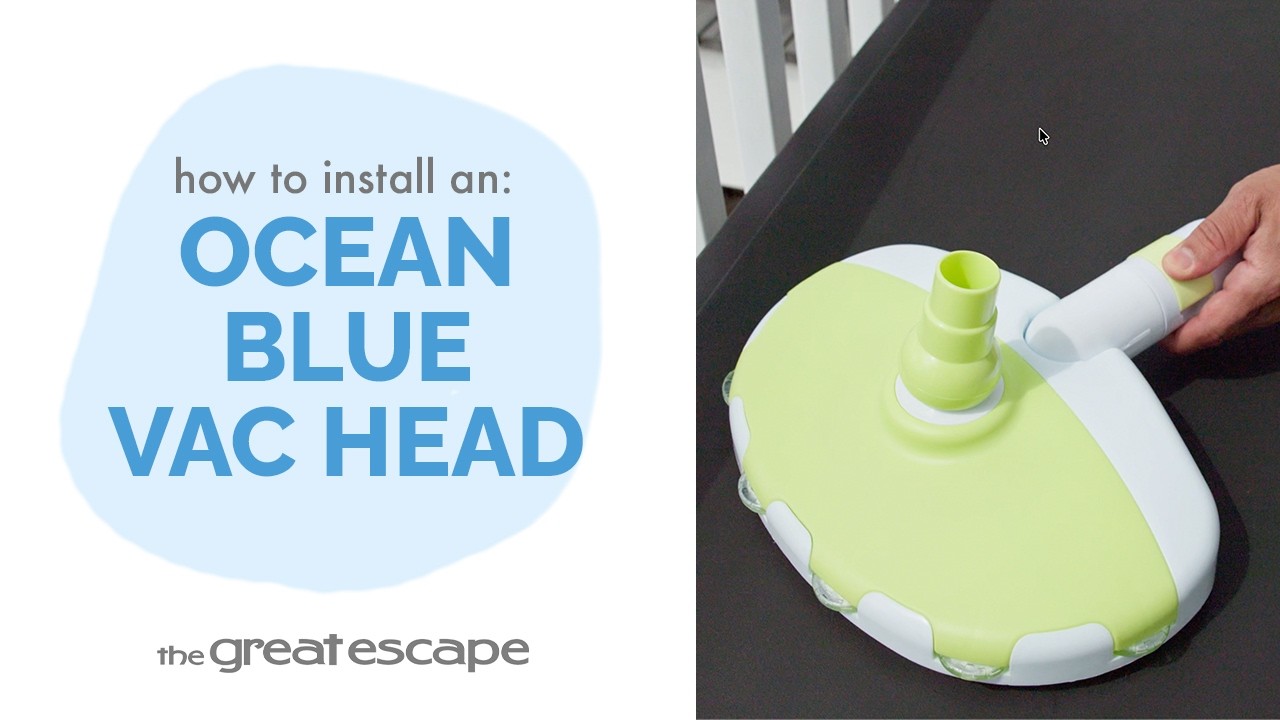
Attaching your Ocean Blue Vacuum Head to a telescopic pole is quick and simple. In this tutorial, The Great Escape shows you how to connect the vacuum head securely so it’s ready for pool cleaning. Key Takeaways: Open the clip at the end of the vacuum head handle before inserting the pole. Slide the telescopic pole fully into the handle opening. Close the clip to lock the pole securely into position. Step-by-Step Process: Open the clip located at the end of the Ocean Blue Vacuum Head handle. Slide the telescopic pole into the handle opening. Push the pole in until it is securely seated. Close the clip to lock the telescopic pole into place. Your Ocean Blue Vacuum Head is now attached and ready for use. Resources & Explanations: Ocean Blue Vacuum Head — The pool cleaning attachment being connected to the pole. Telescopic Pole — Extends your reach so you can guide the vacuum head across the pool. Locking Clip — Secures the pole inside the vacuum head handle once it has been inserted. FAQs: Q1: How do I attach the Ocean Blue Vacuum Head to the pole? A: Open the clip, slide the telescopic pole into the handle opening, then close the clip to lock it in place. Q2: How do I know the pole is secure? A: The pole should be fully inserted into the handle and held firmly once the clip is closed. Q3: Do I need any tools to attach the vacuum head? A: No. The vacuum head connects to the telescopic pole using the built-in clip. Once the vacuum head is securely attached, you’re ready to move on to pool cleaning. If you have questions about your Ocean Blue Vacuum Head or other pool cleaning tools, contact your local Great Escape team. We’re always happy to help!
- Wrap, Twist, Tighten: Installing a Barbed Fitting the Right Way
A secure barbed fitting starts with properly preparing the threads and tightening the connection without overdoing it. In this quick tutorial, The Great Escape shows you how to install a barbed fitting using Teflon tape, plus what to do if you notice a leak after installation. Key Takeaways: Wrap the threads with Teflon tape before installation to help create a watertight seal and reduce the chance of leaks. Thread the fitting clockwise and tighten it by hand until snug. If the connection leaks, carefully tighten it a little more with channel lock pliers without over tightening. Step-by-Step Process: Wrap the threads of the barbed fitting with Teflon tape. Thread the fitting into place by turning it clockwise. Tighten the fitting by hand until it feels snug. Check the connection for leaks after installation. If the fitting leaks, use channel lock pliers to carefully tighten it a little more. Avoid over tightening, as this could damage the fitting or the threads. Your barbed fitting is now installed and ready for use. Resources & Explanations: Barbed Fitting — Provides the connection point being installed as part of your pool plumbing setup. Teflon Tape — Wraps around the fitting threads to help create a watertight seal and reduce the chance of leaks. Channel Lock Pliers — Provide additional leverage if the fitting needs to be tightened slightly after checking for leaks. FAQs: Q1: Why should I use Teflon tape on a barbed fitting? A: Teflon tape helps create a watertight seal around the threaded connection and reduces the chance of leaks. Q2: How tight should I make the fitting? A: Start by tightening the fitting by hand until it is snug. Avoid overtightening, which could damage the fitting or its threads. Q3: What should I do if the fitting leaks after installation? A: Use a pair of channel lock pliers to carefully tighten the fitting a little more, taking care not to over tighten it. At The Great Escape, we’re here to provide the practical know-how you need to understand your pool setup and confidently handle routine maintenance. If you have questions about barbed fittings or your pool equipment, contact your local Great Escape team. We’re always happy to help!
- Seal, Tighten, Bond: Installing Your Copper Bonding Kit for Your Pool Pump
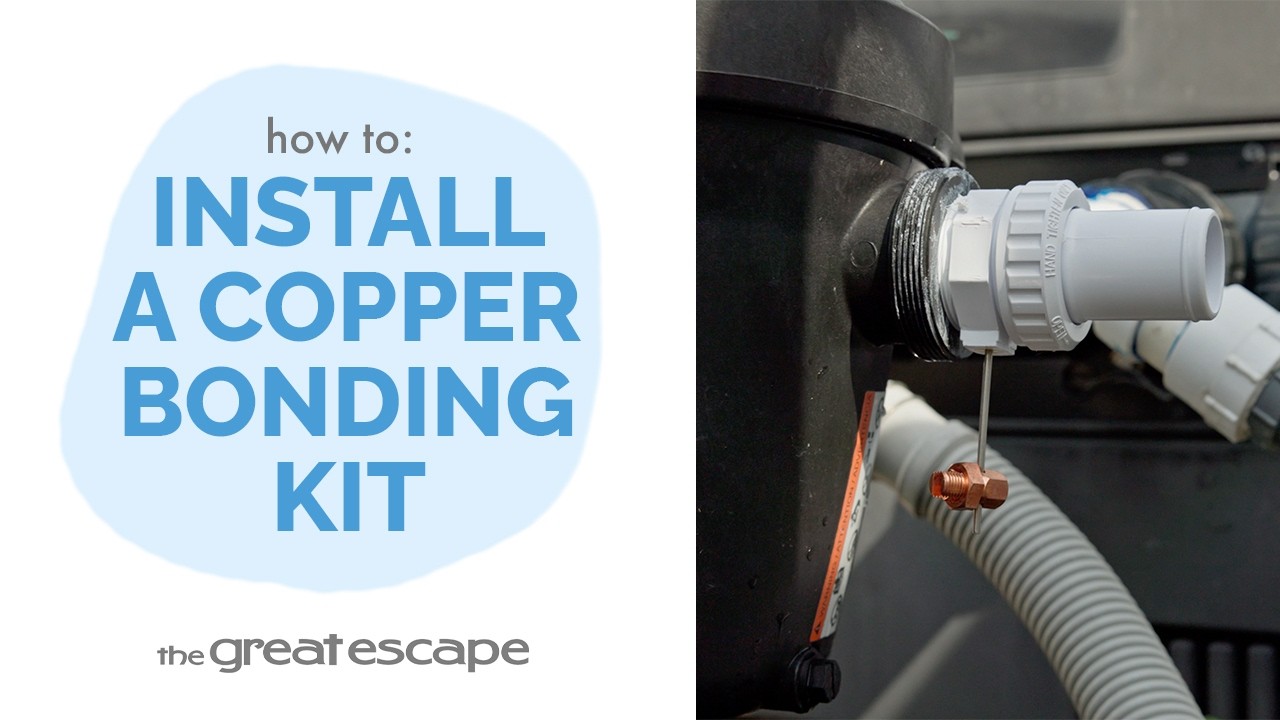
Properly installing your bonding kit starts with creating a secure connection at the pool pump and correctly positioning the copper fitting for the bonding wire. In this tutorial, we'll show you how to prepare the copper nut for the bonding wire connection. Key Takeaways: Wrap the fitting threads with Teflon tape before installation to help create a watertight seal and reduce the chance of leaks. Position the copper fitting downward as you tighten it into the pump so the bonding wire can be properly connected. Once the fitting is installed, the copper bonding wire should be attached according to your local building codes. Step-by-Step Process: Wrap the threads of the fitting with Teflon tape to help create a watertight seal. Thread the fitting into the pump by turning it clockwise. As you tighten the fitting, position the copper fitting so it faces downward. Check the installed fitting for leaks. If you notice a leak, use channel lock pliers to carefully tighten the fitting a little more. Avoid over tightening, which could damage the fitting or the pump threads. Once the fitting is securely installed, attach the copper bonding wire according to your local building codes. Your bonding kit is now installed and ready for use. Resources & Explanations: Bonding Kit with Copper Nut — Provides the fitting used at the pump and the connection point for the copper bonding wire. Teflon Tape — Wraps around the fitting threads to help create a watertight connection and reduce the chance of leaks. Channel Lock Pliers — Can be used to carefully tighten the fitting further if you notice a leak after installation. Copper Bonding Wire — Connects to the installed copper fitting according to applicable local building codes. FAQs: Q1: Why should I use Teflon tape on the fitting? A: Teflon tape helps create a watertight seal around the threaded connection and reduces the chance of leaks. Q2: Which direction should the copper fitting face? A: Position the copper fitting so it faces downward. This allows the bonding wire to be properly connected after installation. Q3: What should I do if the fitting leaks? A: Use a pair of channel lock pliers to carefully tighten the fitting a little more. Avoid over tightening, as this could damage either the fitting or the pump threads. Careful installation helps create a secure connection and prepares your bonding kit for the required bonding wire. For bonding wire requirements, always follow your local building codes. If you have questions about your bonding kit or pool equipment, contact your local Great Escape team. We’re always happy to help!
- Slow & Steady Sanitizing: Put WATER TRENDS 3-Inch Chlor Tabs to Work
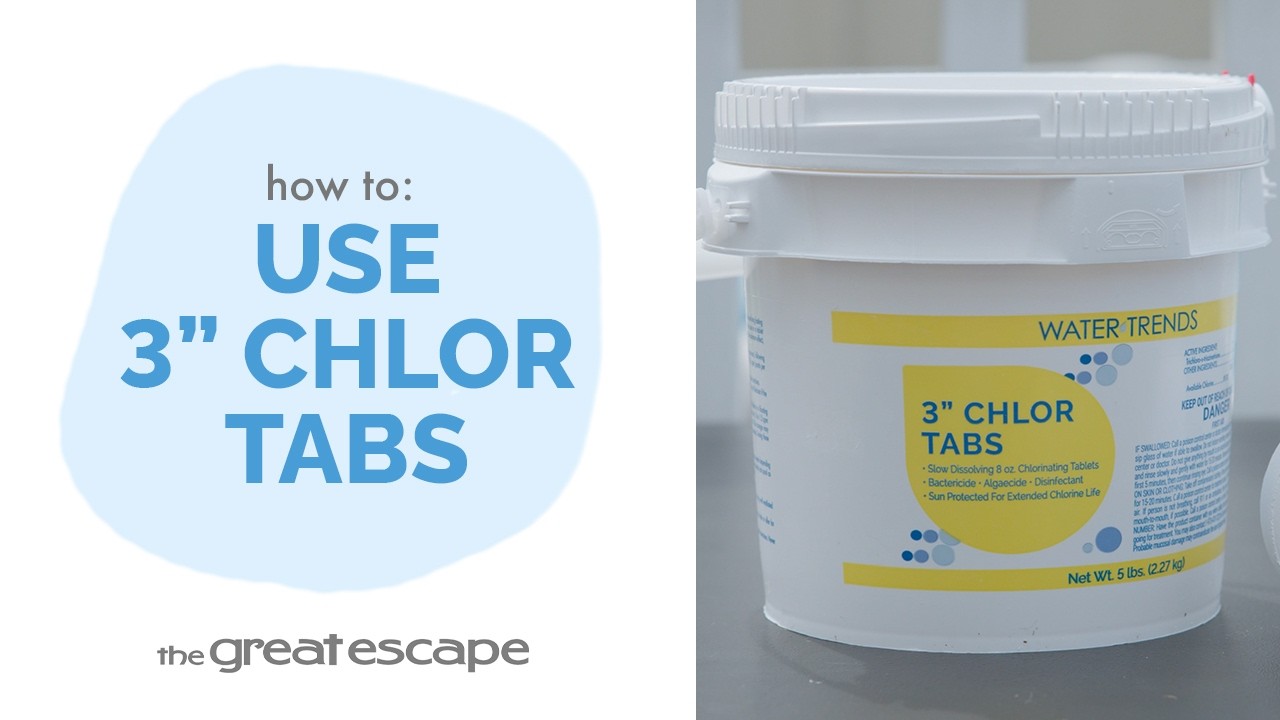
Consistent chlorination helps keep your pool water clean, clear, and sanitized throughout the swimming season. WATER TRENDS 3-Inch Chlor Tabs are designed to dissolve slowly over time for a steady release of chlorine when used with a chlorine dispenser. In this tutorial, The Great Escape shows you how many tablets to use, how to properly add them to your dispenser, and the important handling precautions to follow. Key Takeaways: Wear protective gloves and add 1 WATER TRENDS 3-Inch Chlor Tab to a chlorine dispenser for every 10,000 gallons of pool water. Check your dispenser regularly because warmer water may cause the tablets to dissolve more quickly. Never place tablets directly into the pool, pre-dissolve them, allow them to contact plastic or metal components, or mix them with other pool chemicals. Step-by-Step Process: Put on a pair of protective gloves before handling the chlorine tablets. Determine your pool’s water capacity to calculate how many tablets you’ll need. Add 1 WATER TRENDS 3-Inch Chlor Tab to your chlorine dispenser for every 10,000 gallons of pool water. Allow the tablets to dissolve gradually inside the dispenser for a consistent release of chlorine. Check the dispenser regularly and refill it as needed. Remember that warmer water may cause the tablets to dissolve more quickly. Never throw chlorine tablets directly into the pool, where they may damage the liner or other surfaces. Do not allow the tablets to come into direct contact with plastic or metal components. Never mix the chlorine tablets with other pool chemicals. Do not pre-dissolve the tablets. The chlorine dispenser is designed to regulate the rate at which chlorine is released into the pool. Resources & Explanations: WATER TRENDS 3-Inch Chlor Tabs — Slowly dissolve to provide a consistent release of chlorine for routine pool sanitization. Chlorine Dispenser — Holds the tablets and safely regulates the rate at which chlorine is released into your pool. Protective Gloves — Should be worn whenever handling the chlorine tablets. Pool Water Capacity — Determines the number of tablets needed, using 1 tablet for every 10,000 gallons of pool water. FAQs: Q1: How many WATER TRENDS 3-Inch Chlor Tabs should I use? A: Use 1 chlorine tablet in your chlorine dispenser for every 10,000 gallons of pool water. Q2: Why might I need to refill my chlorine dispenser more frequently during warmer weather? A: Warmer pool water may cause the tablets to dissolve more quickly. Check your dispenser regularly and refill it as needed. Q3: Can I put a chlorine tablet directly into my pool? A: No. Never throw the tablets directly into the pool, as they may damage the pool liner or other surfaces. Do not pre-dissolve them or mix them with other pool chemicals. Instead, place the tablets into a chlorine dispenser designed to regulate their release. Proper chlorination and routine monitoring help keep your pool water clean, clear, and ready to enjoy throughout the swimming season. If you have questions about WATER TRENDS 3-Inch Chlor Tabs or maintaining your pool’s chlorine level, contact your local Great Escape team. We’re always happy to help!
- Set It & Sanitize: Keep Chlorine Flowing with the WATER TRENDS Dispenser
Maintaining consistent chlorine levels is an important part of keeping your pool water clean and properly sanitized. The WATER TRENDS Chlorine Dispenser makes routine chlorination easier with an adjustable release dial and a built-in indicator that helps you see when it’s time for a refill. In this tutorial, we'll show you how to fill, adjust, and monitor your dispenser using 3-inch chlorine tablets. Key Takeaways: The built-in measuring stick lowers as the chlorine tablets dissolve, giving you a visual indication of when the dispenser needs to be refilled. When only the red portion of the measuring stick is visible, it’s time to add new 3-inch chlorine tablets. The bottom dial controls how much chlorine is released and can be adjusted according to your pool’s needs. Step-by-Step Process: Align the arrows on the dispenser lid and turn the lid counterclockwise to remove it. Fill the dispenser with 3-inch chlorine tablets. Replace the lid by aligning the arrows on the top of the dispenser. Turn the lid clockwise until it locks securely into position. Adjust the dial on the bottom of the dispenser to control the amount of chlorine released into the pool. Larger-capacity pools will typically require a higher setting, while smaller pools may require a lower setting. Adjust the dial as needed to maintain the proper chlorine level for your pool. Monitor the built-in chlorine level indicator as the tablets dissolve. When only the red portion of the measuring stick remains visible, refill the dispenser with new 3-inch chlorine tablets. Resources & Explanations: WATER TRENDS Chlorine Dispenser — Provides a steady supply of chlorine and allows you to adjust how much is released into the pool. Built-In Chlorine Level Indicator — Gradually lowers as the tablets dissolve, providing an easy visual reminder of when it’s time to refill the dispenser. 3-Inch Chlorine Tablets — Placed inside the dispenser to provide the chlorine used for routine pool sanitization. Adjustable Bottom Dial — Controls the rate of chlorine release so the dispenser can be adjusted according to your pool’s needs. FAQs: Q1: How do I know when to refill my WATER TRENDS Chlorine Dispenser? A: Watch the built-in measuring stick. As the chlorine tablets dissolve, the indicator will gradually lower. When only the red portion is visible, it’s time to refill the dispenser. Q2: What size chlorine tablets should I use? A: The WATER TRENDS Chlorine Dispenser in this tutorial is designed to be filled with 3-inch chlorine tablets. Q3: How do I know which dial setting to use? A: Pools with a larger water capacity will typically require a higher setting, while smaller pools may require less. Adjust the bottom dial as needed to maintain the proper chlorine level for your pool. Routine monitoring and proper adjustment can help your WATER TRENDS Chlorine Dispenser provide a steady supply of chlorine throughout the swimming season. WATER TRENDS and The Great Escape are here to give you the products, education, and support you need to confidently care for your pool. If you have questions about your chlorine dispenser or maintaining your pool’s chlorine level, contact your local Great Escape team. We’re always happy to help!
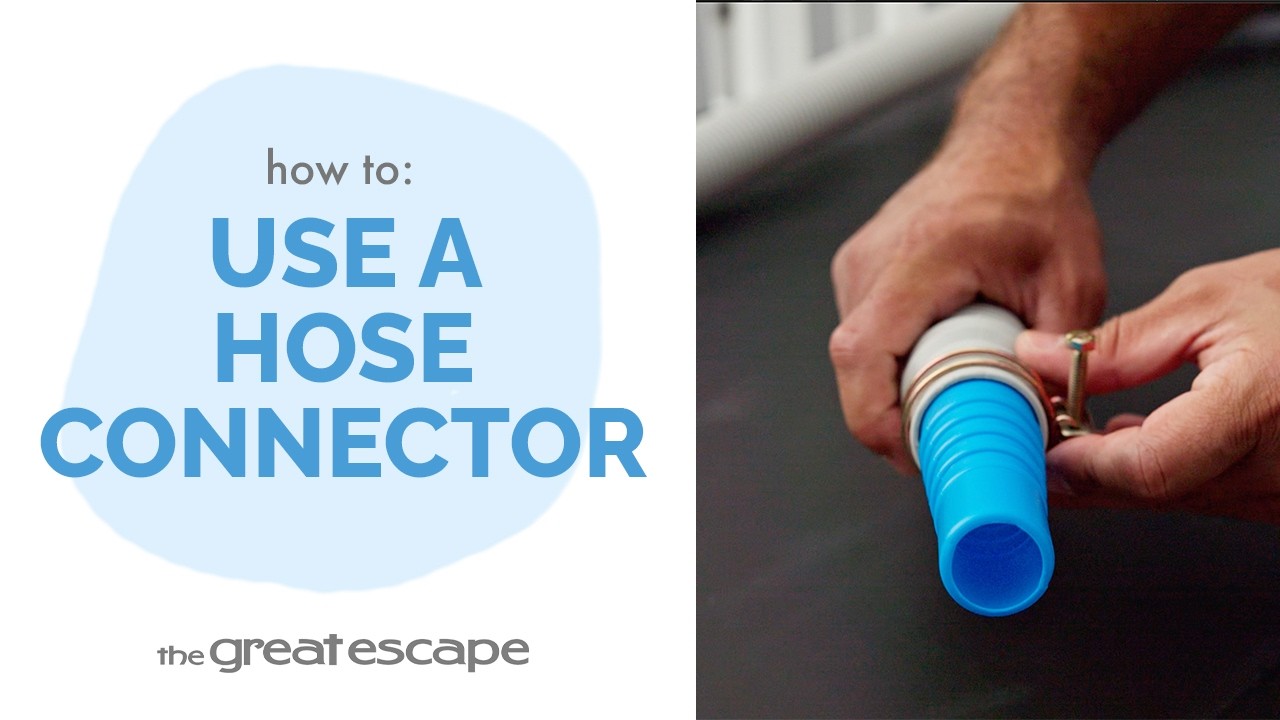
- Make the Connection: Joining Two Pool Hoses the Easy Way
Need to connect two sections of pool hose? A hose connector creates a simple connection between them using two hose clamps to hold everything securely in place. In this quick tutorial, The Great Escape shows you how to join two sections of hose using a hose connector, clamps, and a screwdriver. Key Takeaways: A hose connector joins two separate sections of hose together. Slide each hose clamp onto the hose before pushing the hose onto the connector. Position each clamp over its connection and tighten it securely with a screwdriver. Step-by-Step Process: Gather your hose connector, two sections of hose, two hose clamps, and a screwdriver. Slide one hose clamp onto the end of the first hose. Push the hose fully onto one end of the hose connector. Position the hose clamp over the connection. Tighten the clamp securely with a screwdriver. Slide the second hose clamp onto the end of the second hose. Push the second hose fully onto the opposite end of the connector. Position the second clamp over the connection. Tighten the clamp with a screwdriver until secure. Your two sections of hose are now connected and ready for use. Resources & Explanations: Hose Connector — Joins two separate sections of pool hose to create one continuous connection. Hose Clamps — Secure each hose around the connector once the hoses are properly seated. Screwdriver — Used to tighten both hose clamps and secure the finished connections. FAQs: Q1: What does a hose connector do? A: A hose connector allows you to join two separate sections of hose together. Q2: When should I put the hose clamps on? A: Slide a clamp onto each hose before pushing the hose onto the connector. Once the hose is fully seated, position the clamp over the connection and tighten it. Q3: How do I secure the hoses to the connector? A: Push each hose fully onto its respective end of the connector, position the hose clamp over the connection, and tighten it securely with a screwdriver. Knowing how your pool equipment connects can make setup and maintenance much easier. If you have questions about hoses, connectors, or your pool setup, contact your local Great Escape team. We’re always happy to help!